
GitIsle is a native macOS app that turns your Mac’s notch into a live view of your GitHub pull requests. It stays invisible until something happens, then shows what’s merging, which checks are running, and what needs you.
 gitisle.ppazosp.dev
Why
Once agents write most of your code, the bottleneck moves to the PRs. You have several open at once, some in the merge queue, some waiting on checks, one waiting on a review. Keeping track means living in GitHub tabs, refreshing to see whether something merged or failed. I wanted that state somewhere I’d see it without looking for it, and the notch was sitting there doing nothing.
What it does
- Invisible at rest. With nothing going on, the island is just the notch.
- Live work. While your PRs merge or run checks, the island shows their number with a timer or check progress, taking turns when there are several.
- Banners. New PRs, drafts marked ready, merges, failed checks, review requests and preview deploys slide out of the notch one at a time. Click one to open the PR or the preview.
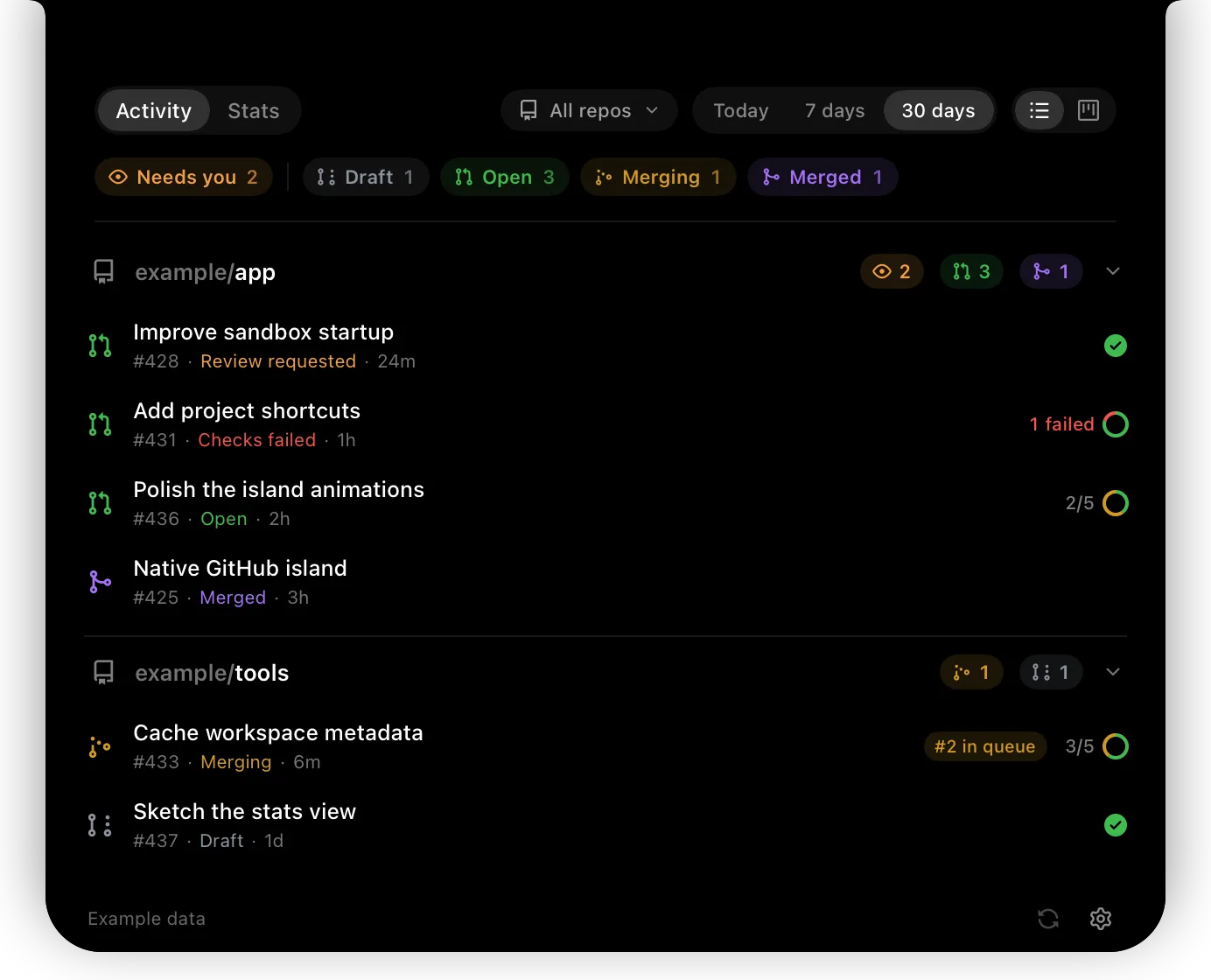
- Inbox and activity. Open the island to see what’s waiting, or browse your PRs by repository or as a board: draft, open, merging, merged. Filter by what needs you, by repository, or by day, week or month.
- A page per PR. Its checks and why they failed, its files and diffs, its reviews, and the stack it belongs to.
- Stats. PRs opened, merged and reviewed, next to your local Claude Code and Codex token usage and estimated cost.
GitIsle only reads. It never merges, reviews, comments or marks notifications as read.
How it works
It’s Swift 6 and SwiftUI, and it talks to GitHub through your existing gh login, so there’s no account and no GitIsle server. Every minute it runs one cheap query to see which PRs changed, and reads only those. PRs that are merging or running checks refresh every 10 seconds. That keeps it around 9% of your hourly GitHub API budget while something is active, and under 2% otherwise.
Agent usage comes from the history files Claude Code and Codex already keep on your Mac. Nothing leaves the machine.
Install
You need macOS 14 or later and the GitHub CLI, signed in.
brew install gh && gh auth login
brew tap ppazosp/gitisle https://github.com/ppazosp/gitisle
brew install --cask gitisle
There’s also an install script and a DMG on the  releases page. MIT licensed.